
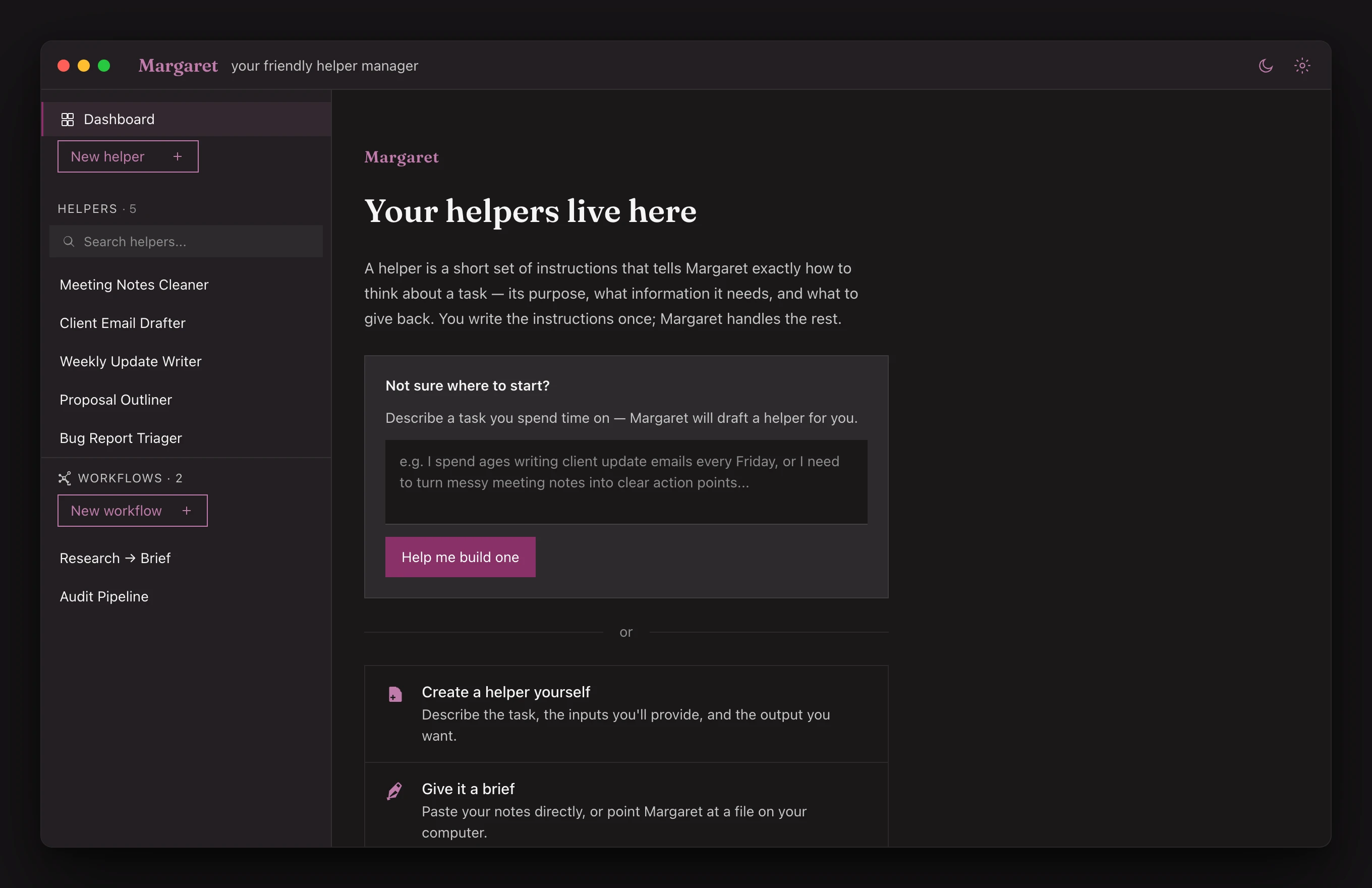
01
First run
Start from a blank page, or a single sentence.
Describe a task you spend time on and Margaret drafts a helper for you — or build one yourself. No setup ceremony, no empty dashboard staring back.
Easy, secure, local agents
Turn the work you repeat into small, private AI helpers — saved on your own computer, run on your terms.
Watch · 60 seconds
A one-minute tour: what an “agent” really is, and how a single helper quietly takes a repeated task off your plate.
Captions are burned in. Read the transcript.
Most people use AI by pasting context into a chat window, tweaking the same prompt, and hoping the result is consistent. Agent builders promise more power, but often feel made for technical users.
Margaret gives you a simpler middle ground: small reusable AI helpers for the jobs you already repeat.
Tell Margaret what you want help with. She turns it into a reusable helper with inputs, instructions, and an output format.
Paste in text, fill a short form, or point to a local file — the same way every time.
Margaret runs your helper and saves the result to your computer as a readable text file.
Ask Margaret what's vague, missing, or unclear. Apply suggested edits, then reuse the better version.
Write the instructions once in plain English. No re-explaining every time, no copy-pasting the same prompt into a chat window. Margaret remembers how you like things done.
Everything lives in a folder on your Mac. Your helper library, your inputs, your run history — all readable files on your own machine. No cloud sync, no accounts, no subscription required for the app itself.
Nothing happens automatically. You decide when Margaret works. Before any run, you can see exactly what will be sent to the AI. You can edit, cancel, or improve any helper at any time.
A look inside
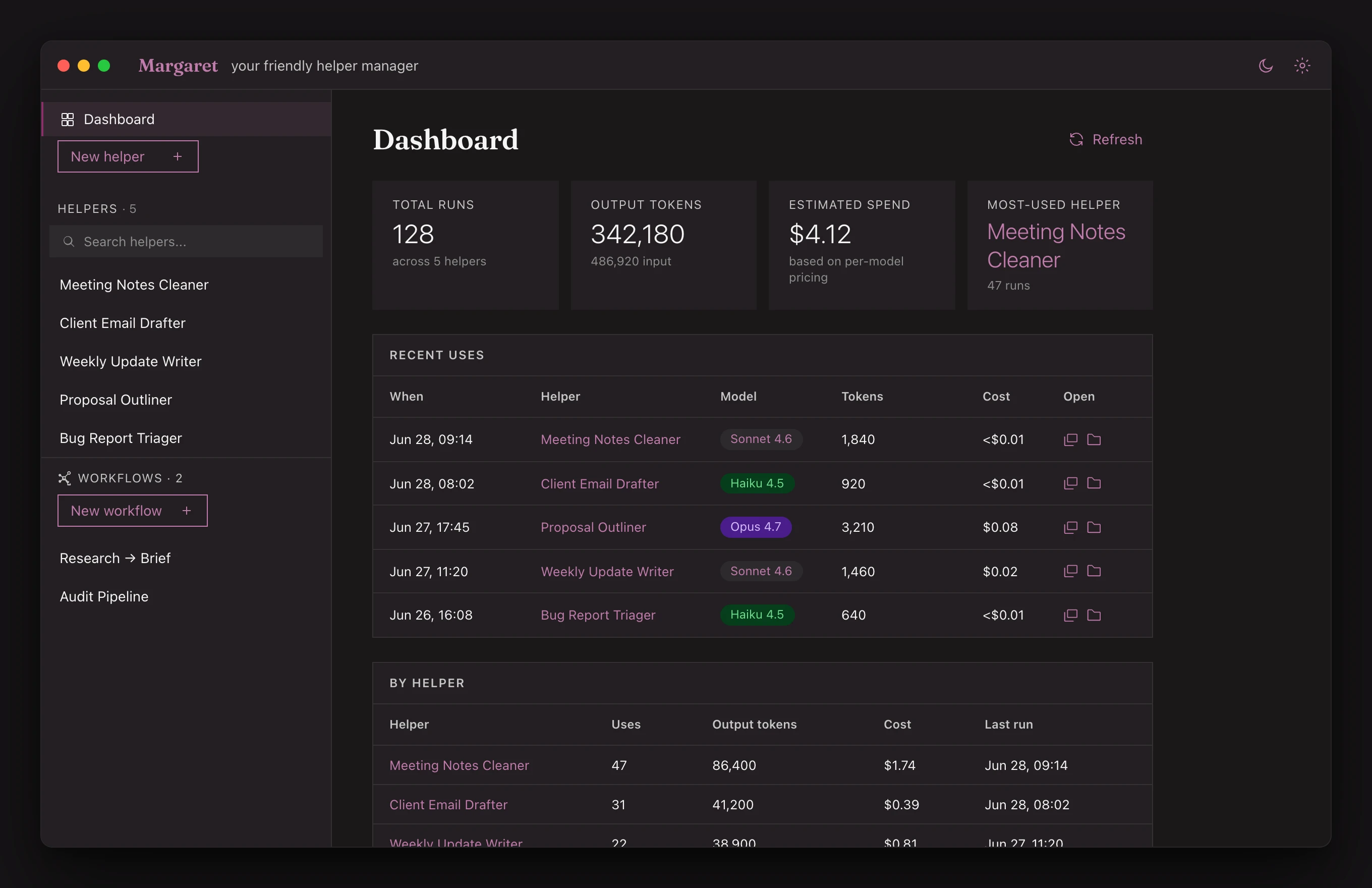
A quiet, local desktop app where your helpers live. Dark by default, legible always.
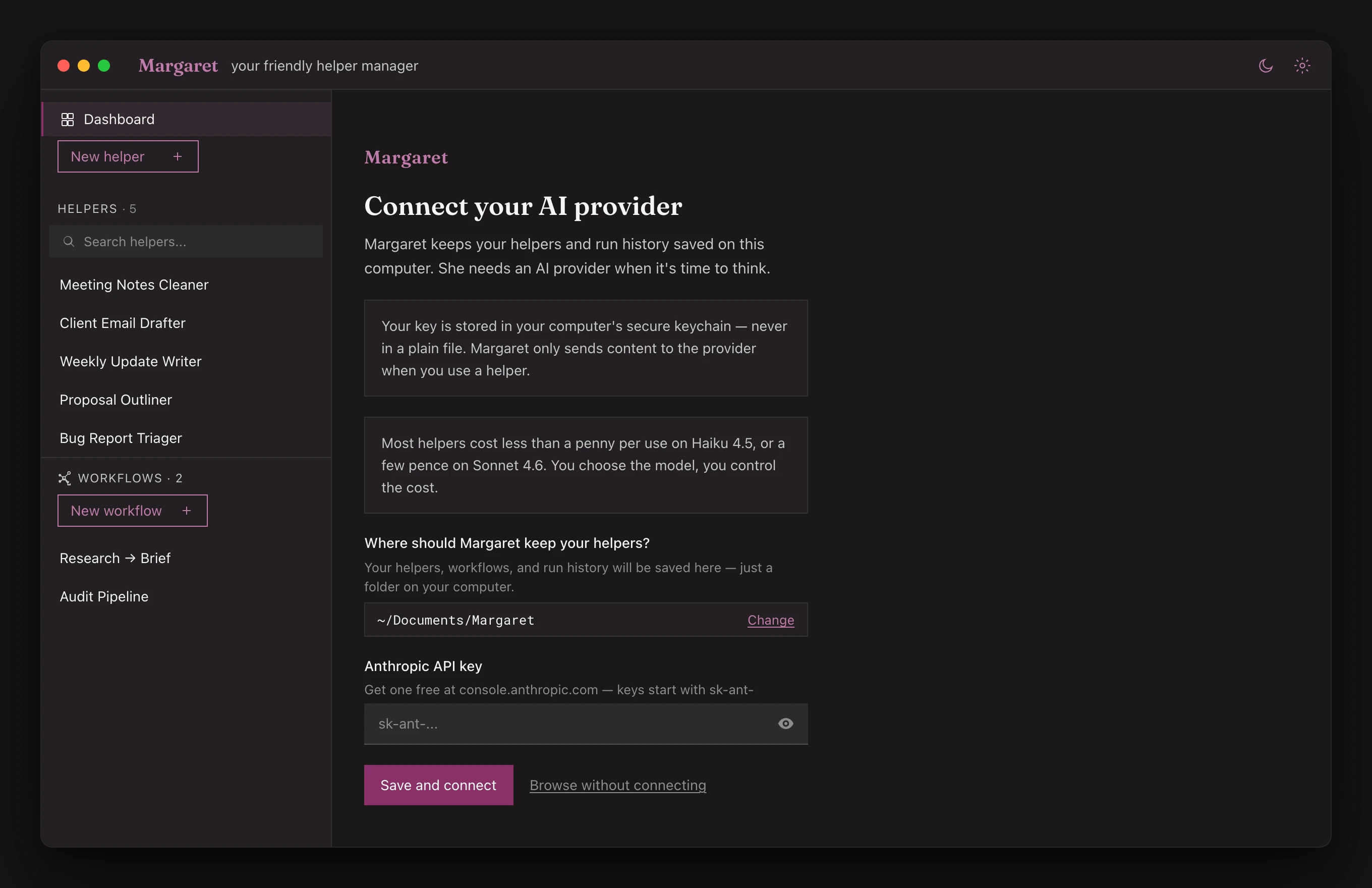
First run
Describe a task you spend time on and Margaret drafts a helper for you — or build one yourself. No setup ceremony, no empty dashboard staring back.
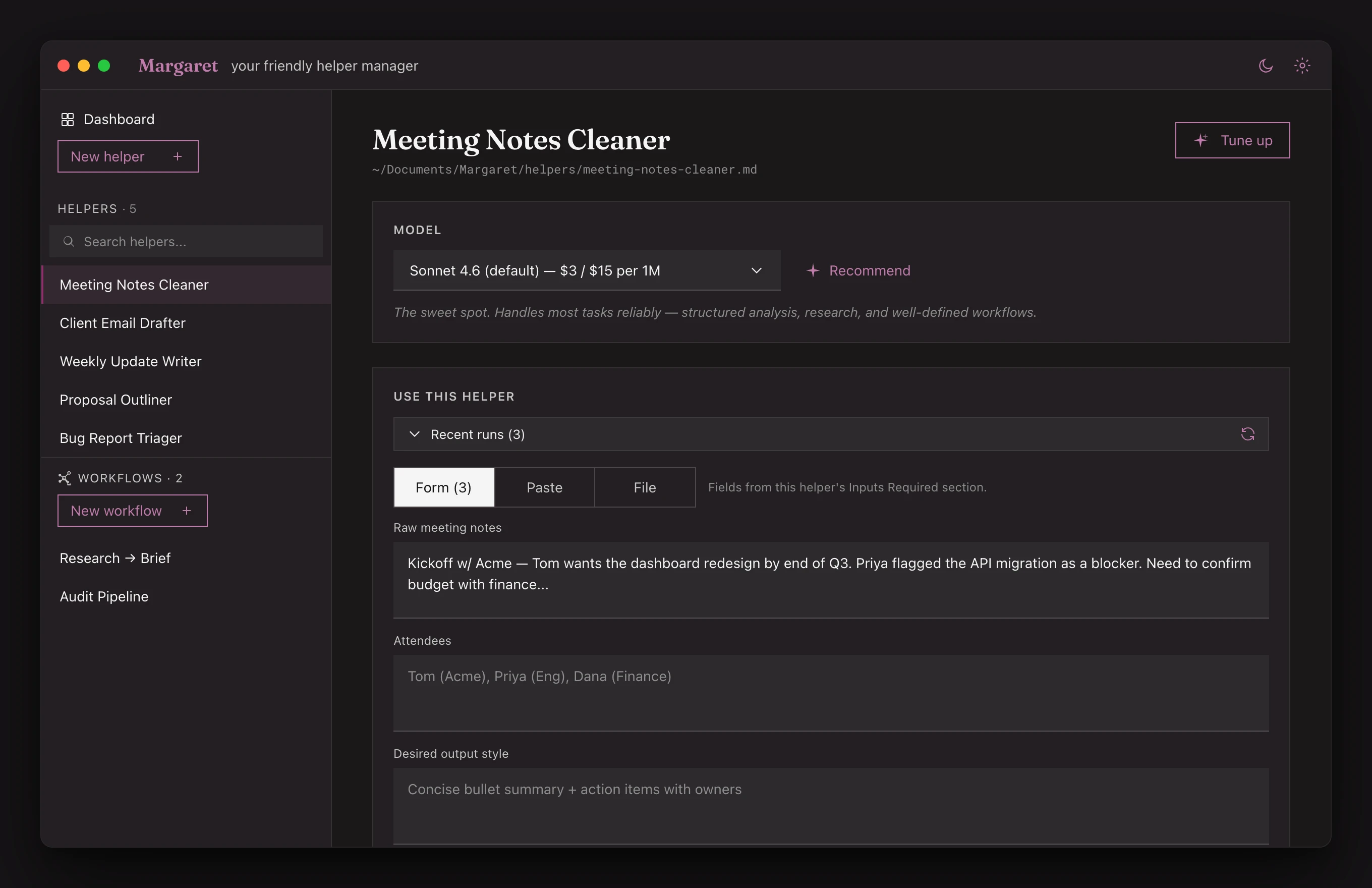
Helper detail
Pick the model, see the cost, fill the inputs, and run. The instructions you wrote once sit right there — readable, editable, yours.
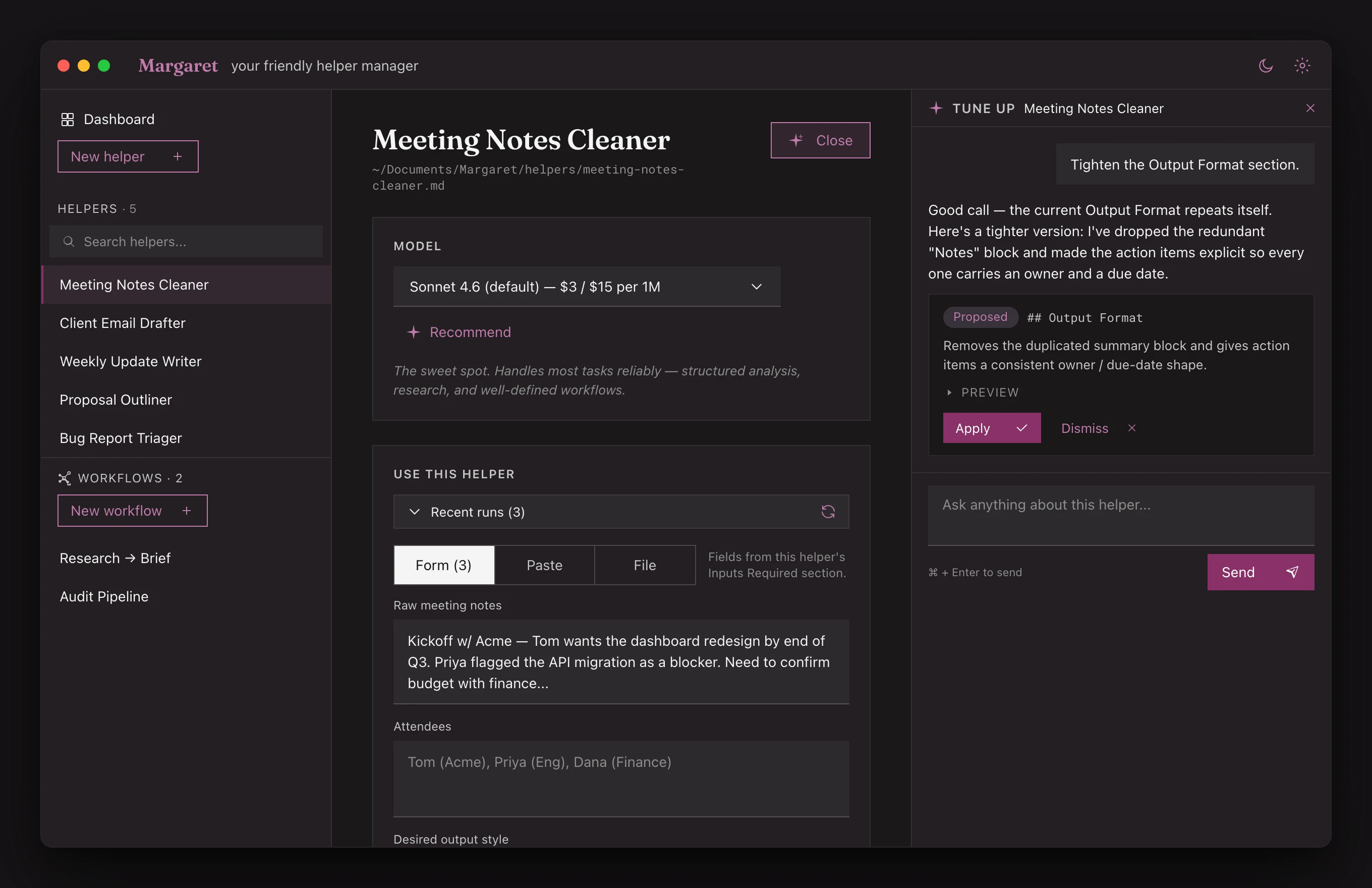
Tune up
Tell Margaret what to change and she revises the instructions in place. Your helpers get sharper the more you use them.
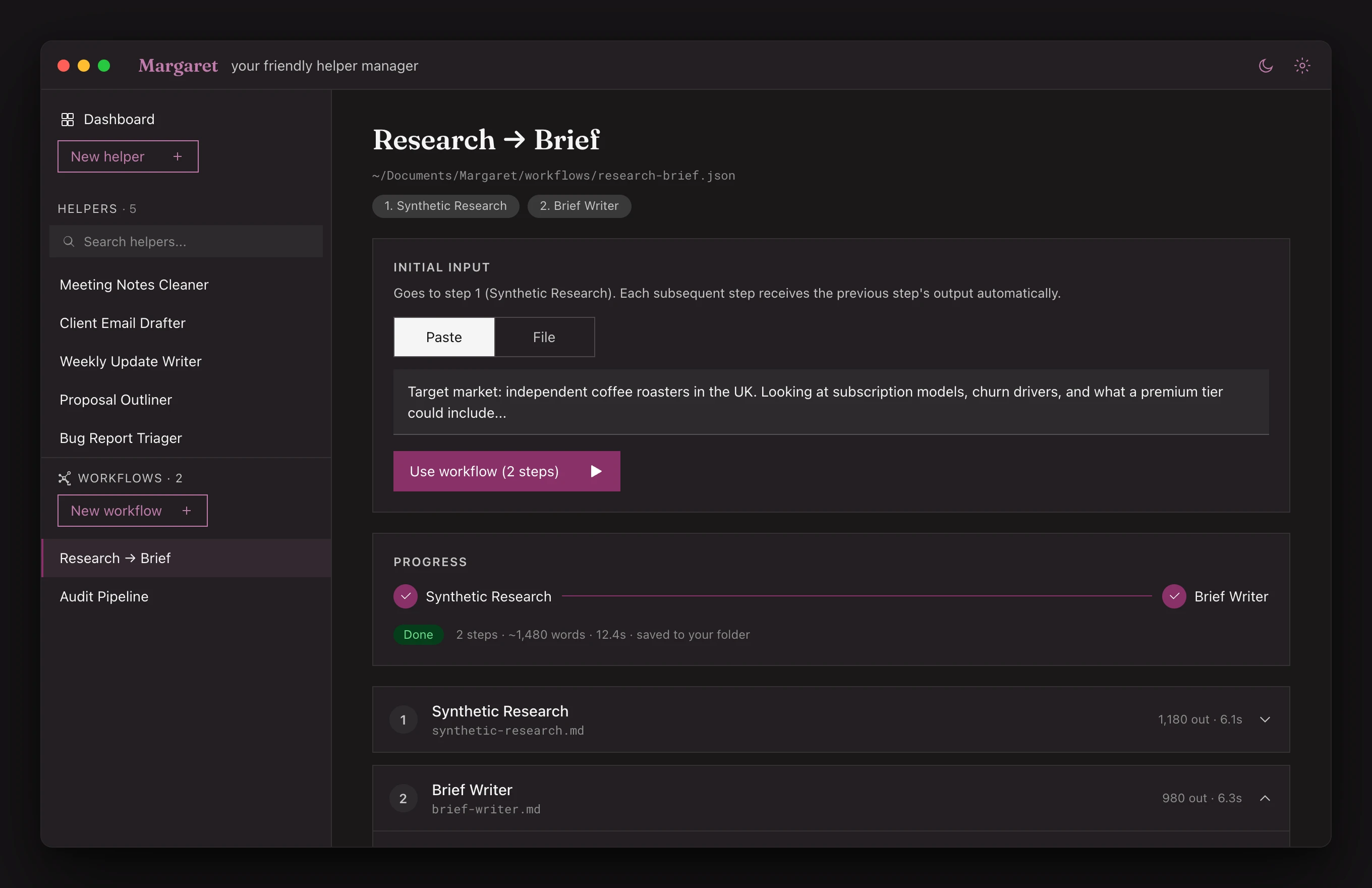
Workflows
Connect several helpers into a workflow for the work your week repeats — research into brief, notes into actions, transcript into summary.
Local-first
Margaret stores your helpers, inputs, and run history on your computer. When a helper needs AI, Margaret sends the required content to the model provider you choose — using your own API key.
Margaret is local-first, not magic. If you use a cloud AI provider, the text needed for that run is sent to that provider. We're upfront about this — it's in the app before every run.
Early supporter price: £29 during beta
No spam. No enterprise nonsense. Just updates when something worth knowing ships.